[企业官网]:首页显示新闻
在本节课中,我们将介绍如何在网站首页上显示新闻内容。在新闻资讯板块中,我们可以看到有三个新闻。如下图所示:
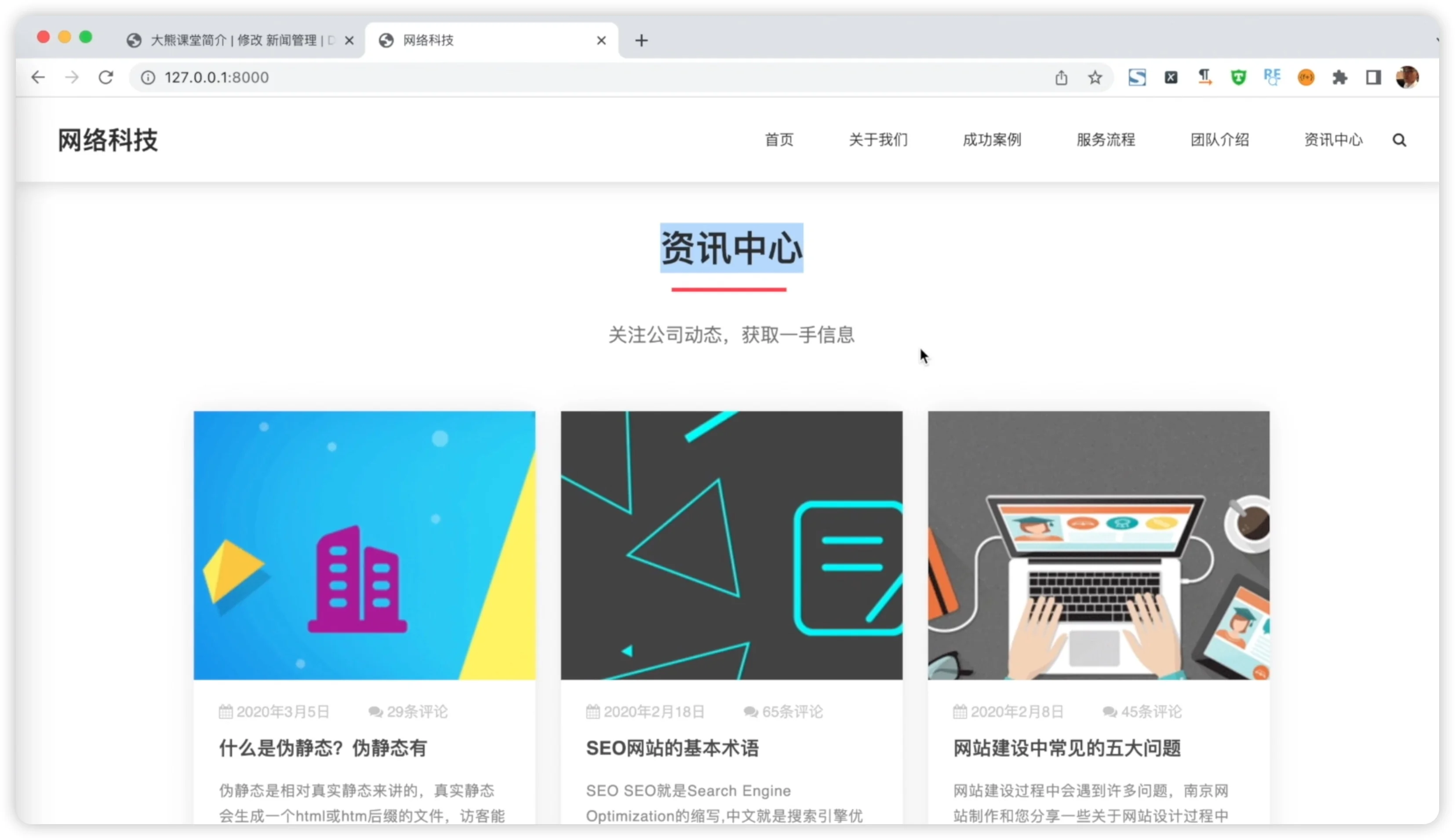
因此,在获取内容时,我们将获取三个新闻,并设置数量限制。这三个新闻需要按照时间创建时间的倒序排序。接下来,让我们看看如何实现这一功能。首先,我们找到mysite/views.py文件中网站的首页字段。在网站的字段中,我们继续获取“资讯中心”下的新闻。我们使用新闻对象进行筛选,并根据分类选择新闻类型为“新闻”的内容(category ID等于1)。然后,我们根据创建时间的降序排列,并设置获取数量为三个。我们将获取的新闻赋值给一个新变量,命名为“news”,并将其传递到页面中的“index.html”文件中的“资讯中心”部分。代码如下:
from django.http import HttpResponse
from django.shortcuts import render
from slide.models import Slide
from team.models import Team
from news.models import News

# Create your views here.
def index(request):
    # 获取slide表数据
    slides = Slide.objects.all()
    # 获取团队成员
    team = Team.objects.all().order_by('-rank')
    # 获取咨询中心新闻
    news = News.objects.filter(category_id=1).order_by('-created_at')[:3]
接下来我们在templates文件夹中index.html中我们将通过for循环遍历新闻内容,并将日期、标题和新闻图片替换到页面中的相应位置并且我们会在标题后面添加一个a标签链接,使其跳转到文章详情页。至此,我们完成了新闻内容在首页的展示。
<!-- 公司动态 -->
    <section id="company-activities" class="company-activities">
      <h2 class="title1">资讯中心</h2>
      <p class="intro">关注公司动态,获取一手信息</p>
      <div class="activities">
        {% for item in news %}
        <div class="activity">
          <div class="act-image-wrapper">
            <img src="/media/{{item.cover}}" alt="">
          </div>
          <div class="meta">
            <p class="date-published">
              <i class="fa fa-calendar"></i> {{ item.created_at }}
            </p>
          </div>
          <h2 class="act-title">{{ item.title }}</h2>
          <article>{{ item.content|slice:'20' }}...</article>
          <a href="/news/{{item.id}}">
          <button class="readmore-btn">阅读更多</button>
          </a>
        </div>
        {% endfor %}
      </div>
      <div>
        <a href="/news/list">
          <button class="readmore-btn">查看全部新闻</button>
        </a>
      </div>
    </section>
回到我们的浏览器刷新页面,显示如下:
继续阅读完整内容
以上为免费预览。前往「Django + Vue 全栈课程」,查看后续完整讲解、案例演示和配套资料。
查看课程详情