用户注册信息验证2
上一节课,我们实现了用户名的验证,此外,我们还需要验证邮箱,密码等信息,如果每一个都写写一次Toastify提示,显然代码非常冗长。本节课通过将提示功能封装为一个独立的函数,进一步优化了代码结构。具体步骤如下:
-
在
src目录下创建一个名为utils的文件夹,用于存放一些常用的工具包。 -
在
utils文件夹中创建一个名为message.js的文件,用于存放与消息相关的方法。目录结构如下:
├── src
│   ├── App.vue
│   ├── assets
│   │   ├── css
│   │   ├── images
│   ├── components
│   │   ├── Category.vue
│   │   ├── Footer.vue
│   │   ├── Header.vue
│   │   ├── MovieList.vue
│   │   ├── Page.vue
│   ├── main.js
│   ├── router
│   │   └── index.js
│   ├── utils
│   │   └── message.js
│   └── views
│       ├── HomeView.vue
│       ├── MovieDetail.vue
│       └── Register.vue
- 将实现提示功能的代码从原来的位置拷贝到
message.js文件中,并修改为一个独立的函数,命名为showMessage。message.js代码如下:
import Toastify from 'toastify-js'
import "toastify-js/src/toastify.css"

export default function showMessage(message, state='error', callback_func) {
    let background_color;
    if (state == 'error') {
        background_color = 'linear-gradient(to right, #ff5f6d, #ffc371)'
    } else {
        background_color = 'linear-gradient(to right, #00b09b, #96c93d)'
    }

    Toastify({
        text: message,
        duration: 2000,
        close: true,
        gravity: "top", // `top` or `bottom`
        position: "center", // `left`, `center` or `right`
        stopOnFocus: true, // Prevents dismissing of toast on hover
        style: {
            background: background_color,
        },
        callback: function(){
            if (!callback_func) return ;
            if (callback_func) {
                callback_func()
            }
        },
        onClick: function(){
            alert('debug onclick')
        } // Callback after click
        }).showToast();
}
这段代码定义了一个JavaScript函数showMessage,它使用Toastify库来显示消息通知。Toastify是一个轻量级、可定制的JavaScript库,用于在网页上显示通知(也称为toast消息)。下面是对代码的逐行解释:
-
导入语句:
import Toastify from 'toastify-js': 从toastify-js包中导入Toastify模块,这是实现toast功能的核心库。import "toastify-js/src/toastify.css": 导入Toastify的CSS样式文件,这是确保toast消息以预定的样式显示的关键。
-
函数定义
showMessage:export default function showMessage(message, state='error', callback_func): 定义了一个名为showMessage的函数,可以导出并在其他模块中使用。这个函数接受三个参数:message(要显示的消息文本),state(消息的状态,默认为'error'),以及callback_func(一个在toast消息显示后可选调用的回调函数)。
-
设置背景颜色:
- 根据
state参数的值,选择不同的线性渐变背景颜色。如果状态是'error',则使用红色到橙色的渐变;否则,使用绿色到黄绿色的渐变。
- 根据
-
配置并显示Toastify通知:
Toastify({...}).showToast();: 使用Toastify函数创建并显示一个toast。这个函数接受一个配置对象,其中包含了以下设置:text: 要显示的消息文本。duration: toast消息显示的持续时间(毫秒)。close: 是否显示关闭按钮。gravity: toast出现在页面的垂直位置('top'或'bottom')。position: toast出现在页面的水平位置('left','center'或'right')。stopOnFocus: 当鼠标悬停在toast上时,是否停止计时(默认为true,即悬停时不消失)。style: 自定义样式对象,这里设置了背景颜色。callback: 显示toast后要调用的函数。如果callback_func存在,将调用它。onClick: 当toast被点击时触发的函数,在这里它被设置为显示一个alert弹窗(主要用于调试)。
-
显示Toast消息:
showToast(): 显示配置好的toast消息。
总之,这个函数提供了一个灵活且用户友好的方式来在网页上显示通知消息。通过Toastify库,开发者可以轻松地创建漂亮的、响应式的、并且具有良好交互性的通知。
我们通过封装提示功能为一个独立的函数,提高了代码的可维护性和复用性。接下里,继续完成注册页面中其他字段的验证,Register.vue代码如下:
<script>
import showMessage from "@/utils/message.js";

export default {
  name: "Register",
  data: function () {
    return {
      username: "",
      email: "",
      password: "",
      re_password: "",
    };
  },
  methods: {
    register() {
      const username = this.username;
      const email = this.email;
      const password = this.password;
      const re_password = this.re_password;
      // 验证用户输入
      if (username === "") {
        showMessage("用户名不能为空", "error");
        return;
      }

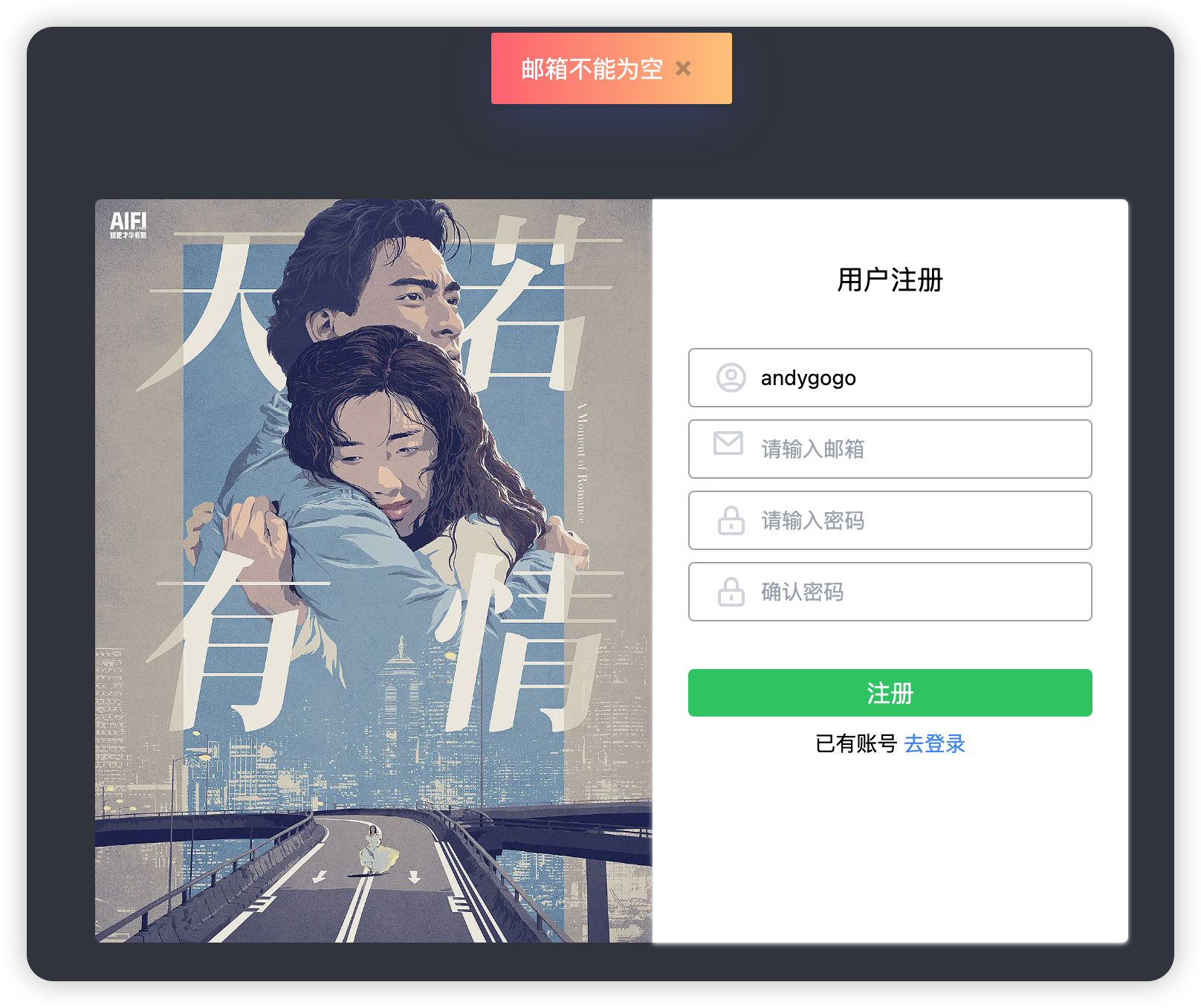
      if (email == "") {
        showMessage("邮箱不能为空");
        return;
      }
      var emailRegex = /^(([^<>()\[\]\\.,;:\s@"]+(\.[^<>()\[\]\\.,;:\s@"]+)*)|(".+"))@((\[[0-9]{1,3}\.[0-9]{1,3}\.[0-9]{1,3}\.[0-9]{1,3}\])|(([a-zA-Z\-0-9]+\.)+[a-zA-Z]{2,}))$/;
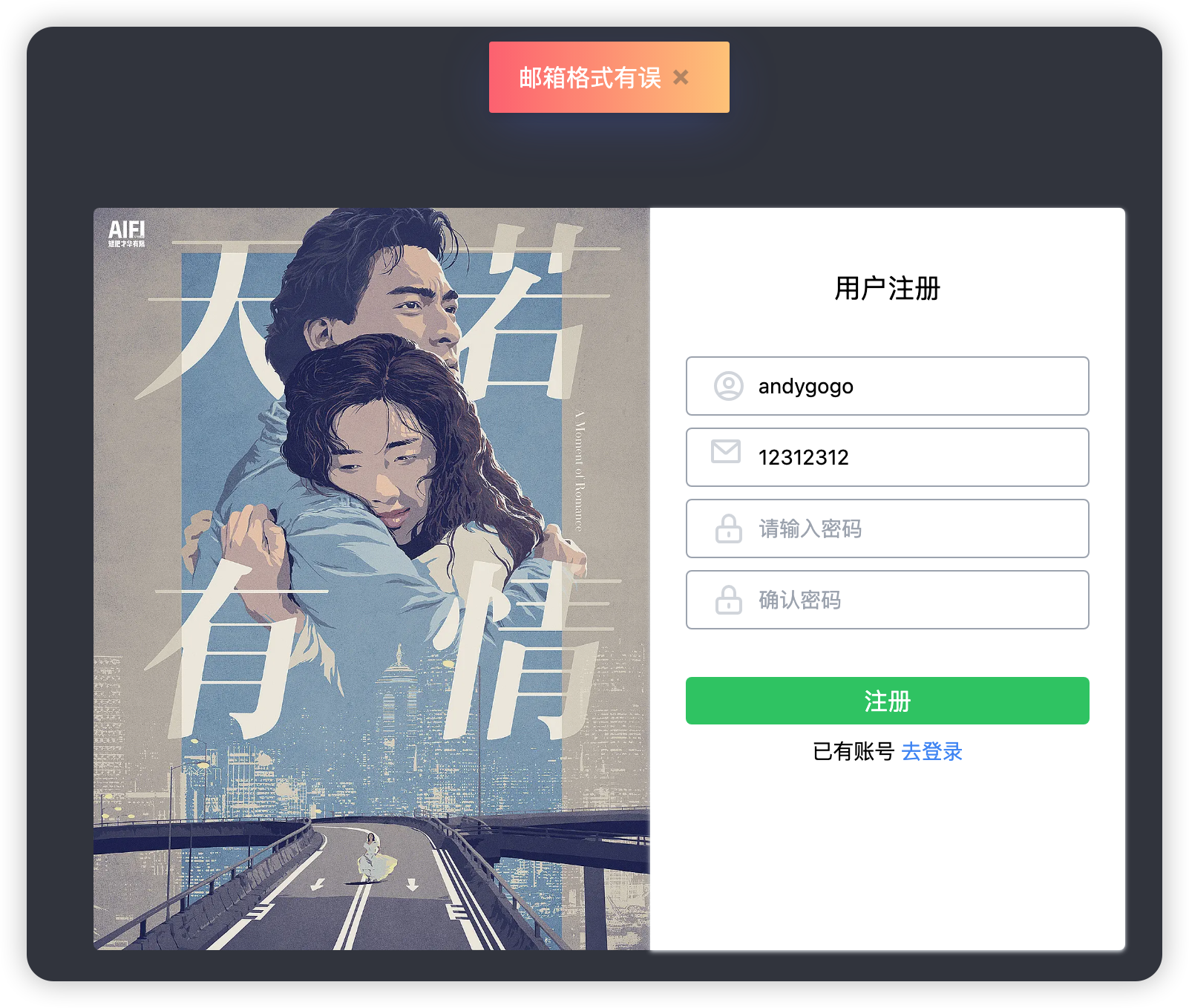
      if (!emailRegex.test(email)) {
        showMessage("邮箱格式有误");
        return;
      }

      if (password === "") {
        showMessage("密码不能为空");
        return;
      }
      if (re_password === "") {
        showMessage("确认密码不能为空");
        return;
      }
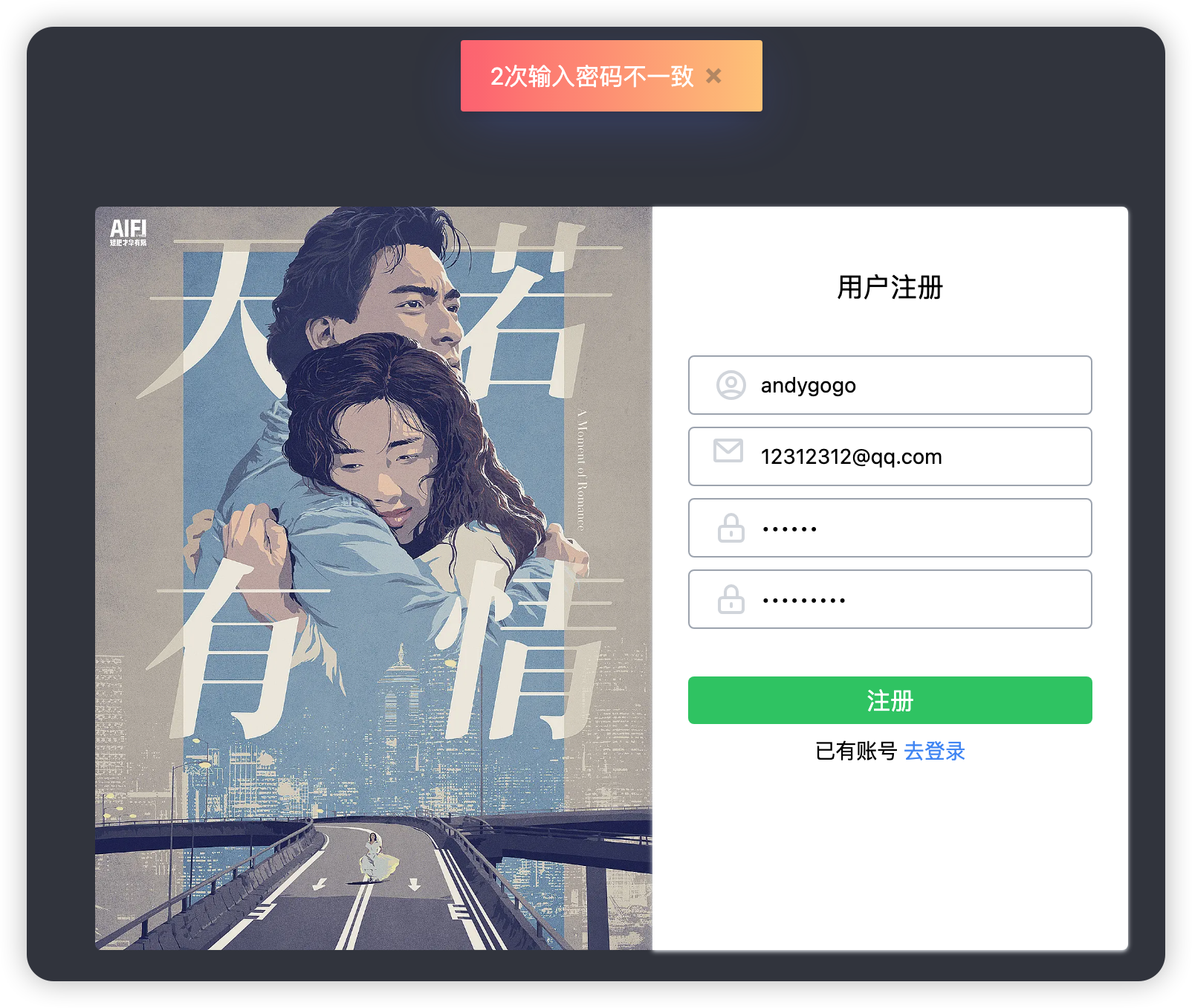
      if (password !== re_password) {
        showMessage("2次输入密码不一致");
        return;
      }
    },
  },
};
</script>
-
导入语句:
import showMessage from "@/utils/message.js";:从@/utils/message.js路径导入showMessage函数。@是一个别名,通常指向项目的src目录。
-
组件定义:
export default { ... }: 导出Vue组件。name: "Register": 组件的名称是"Register"。
-
组件的数据对象:
data: function() { ... }: 定义组件的数据。这里定义了用户填写的username,email,password, 和re_password。
-
方法定义:
methods: { ... }: 定义组件的方法。register() { ... }: 其中一个方法是register,很可能是用户点击注册按钮时触发的方法。
-
注册逻辑:
- 在
register方法内,首先从组件的数据对象中获取username,email,password, 和re_password的值。 - 然后进行一系列验证:
- 如果
username是空的,使用showMessage显示错误消息"用户名不能为空"。 - 如果
email是空的,显示错误消息"邮箱不能为空"。 - 使用正则表达式检查邮箱格式。如果不匹配,显示错误消息"邮箱格式有误"。
- 如果
password是空的,显示错误消息"密码不能为空"。 - 如果
re_password(确认密码)是空的,显示错误消息"确认密码不能为空"。 - 如果
password和re_password不相同,显示错误消息"两次输入密码不一致"。
- 如果
- 在
在每一次验证失败后,函数通过return语句立即退出,防止继续执行后续的代码。
页面运行效果如下所示。
【大熊课堂精品课程】
Python零基础入门动画课: https://www.bilibili.com/cheese/play/ss7988
Django+Vue:全栈开发: https://www.bilibili.com/cheese/play/ss8134
PyQT6开发桌面软件: https://www.bilibili.com/cheese/play/ss12314
Python办公自动化: https://www.bilibili.com/cheese/play/ss14990
Cursor AI编程+MCP:零基础实战项目课: https://www.bilibili.com/cheese/play/ss105194189
Pandas数据分析实战: https://www.bilibili.com/cheese/play/ss734522035
AI大模型+Python小白应用实战: https://www.bilibili.com/cheese/play/ss3844